
Multi-tenant Broadcasting Solution
Provide voice call and SMS casting services to your tenants using this advanced broadcasting system.

Provide voice call and SMS casting services to your tenants using this advanced broadcasting system.

Save time and cost efficaciously to connect with important people using audio, video and web conferencing solutions.

WebRTC based communication solution to conduct audio calls, video calls, data sharing, screen sharing and live chat features.

Asterisk based inbound, outbound and blended call center solutions meet your wide range of business needs.

Make sure you / your staff never miss any appointment with this automatic appointment reminder system.

Enrich your hospitality by offering better service to your guests during their stay with this Hotel IVR system.

Allow your customers to book train, flight, bus, cab and even movie tickets using a simple IVR system.

Conduct the professional quizzes or hold the entertaining competitions for various purposes.

Integrate the CRM system with an IVR and serve your clients in a personalized manner.

Work as a knowledge base and offer any information required by the visitors or clients.
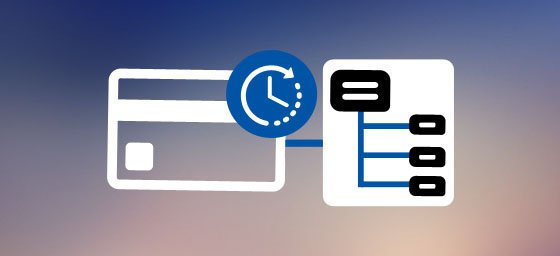
IVR payment solutions allow customers to pay their bills with a secured, fast and real-time system.

Let your users know the different currency rates and allow them to convert it on the go to make billing easier.
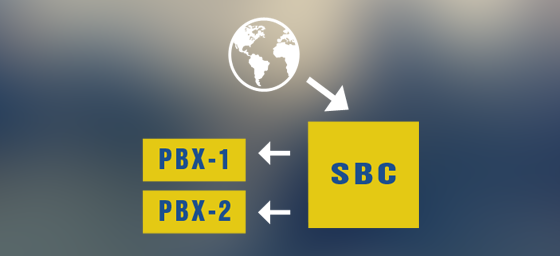
Secure your network by configuring Session Border Controller solution in your network.
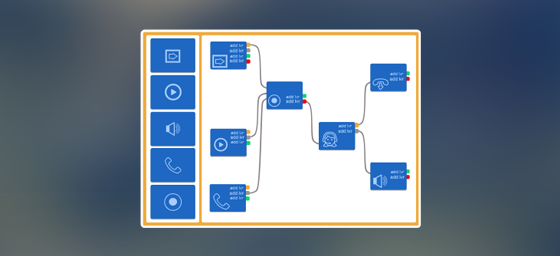
Create customized multi-level Interactive Voice Response menu using GUI based IVR Builder.
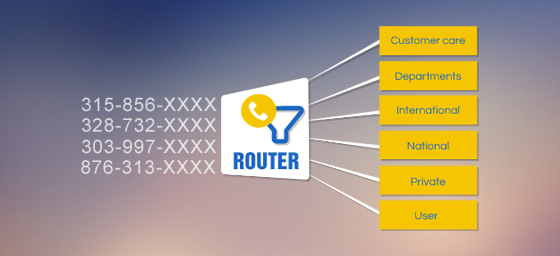
Reduces dependency on attendants; Ensure incoming calls reach the right person directly using DID Router Software.
When you hire our Asterisk developers, you don’t just get one more vendor for your business but a close associate who can make you more efficient. Quality and Timeliness are the two main attributes that sets up apart from our contemporaries.
Our qualified team of Asterisk experts ensures to catapult our experience, potential and expertise with every completing project.

“We, at Convergenze SpA, are very delighted about the level of support received from Ecosmob. Convergenze has commissioned several projects ranging from Asterisk DialPlan+IVR to Opensips+Sems routing configuration. In every cases we reached our prefixed goals thanks to the high skills they provided. We found them very competitive in terms of price/quality ratio.!”
Rosario Pingaro, President & CEO at Convergenze S.p.A.

“We are very satisfied with Ecosmob. They completed the project in the exact time they promised. Very fast, professional and reliable. They know a lot about asterisk, linux, database, scripting and documenting. We highly recommend them and will select them for all our future projects.”
Avi Krivorot, CTO at 911 Enable

“I have been working with Ecosmob for the last several years. I strongly recommend them as a resource for VoIP development and troubleshooting.”
Scott Keith, CTO at WebFones LLC.
“Asterisk / vicidial developer and support person provides quick response times and friendly service.”
Robert Joubert, Owner at Boomerang Marketing
“After two years of fructuous collaboration with ECOSMOB, by this mail I want to mark my satisfaction for your service quality and your quick support when I faced some difficulties.”
Zongo Oumar, General Manager at Elikia Telecom

“Working with Ecosmob has been a very good experience for us. They continually demonstrate exceptional technical expertise in the area of Telephony, especially with regard to newer technologies, They also have a willingness to go out of their way to help us make often very short deadlines. Our current project would not have been possible without Them.”
Cory Isaacson, CEO/CTO at CodeFutures Corporation
“They wrote a very professional app for us at a competitive price. We are working on a long term relationship to develop this product fully. If you need Asterisk development, I would HIGHLY recommend contacting them first. We used a US company that took our money and didn’t deliver us a product.”
President, Twisted Technologies

“Professional service, Asterisk expert.”
Kamil Semavi, IT Director at Nethouse Networks